Every app gets its own volume.
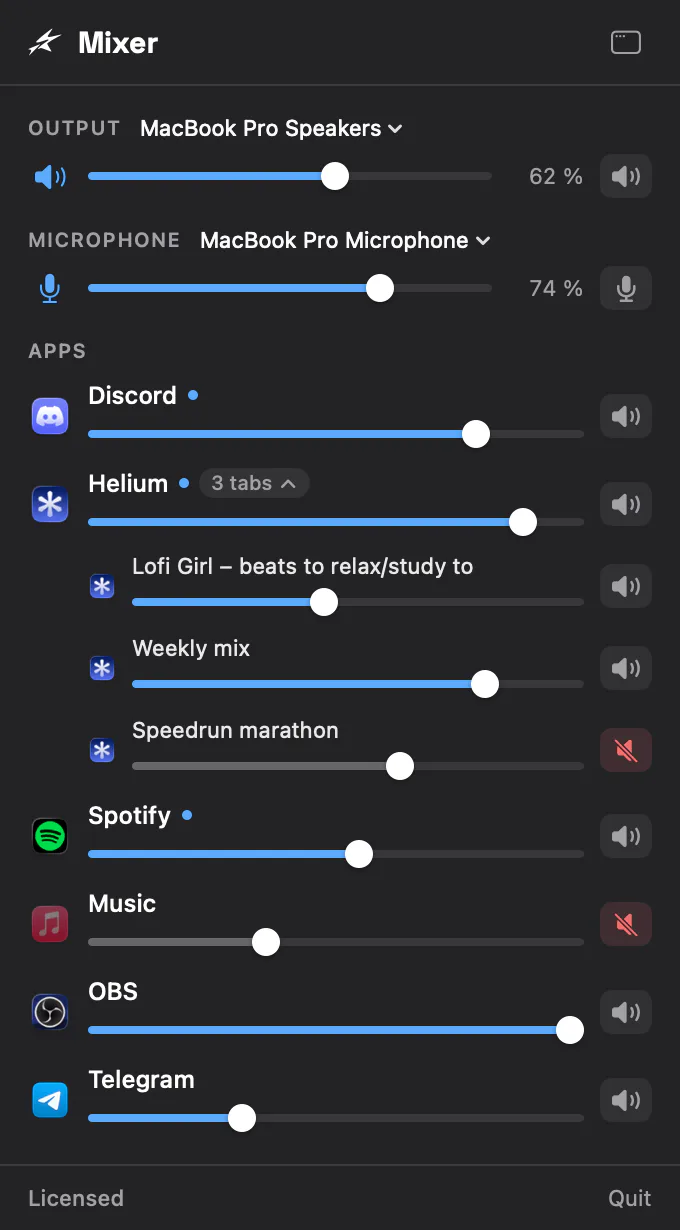
Mixer puts a slider and a mute for every app, every browser tab, your speakers and your microphone in the menu bar, and on your Stream Deck. Turn the call up and the music down without touching anything else.
7 days free · macOS 14.4 or later · Apple silicon and Intel
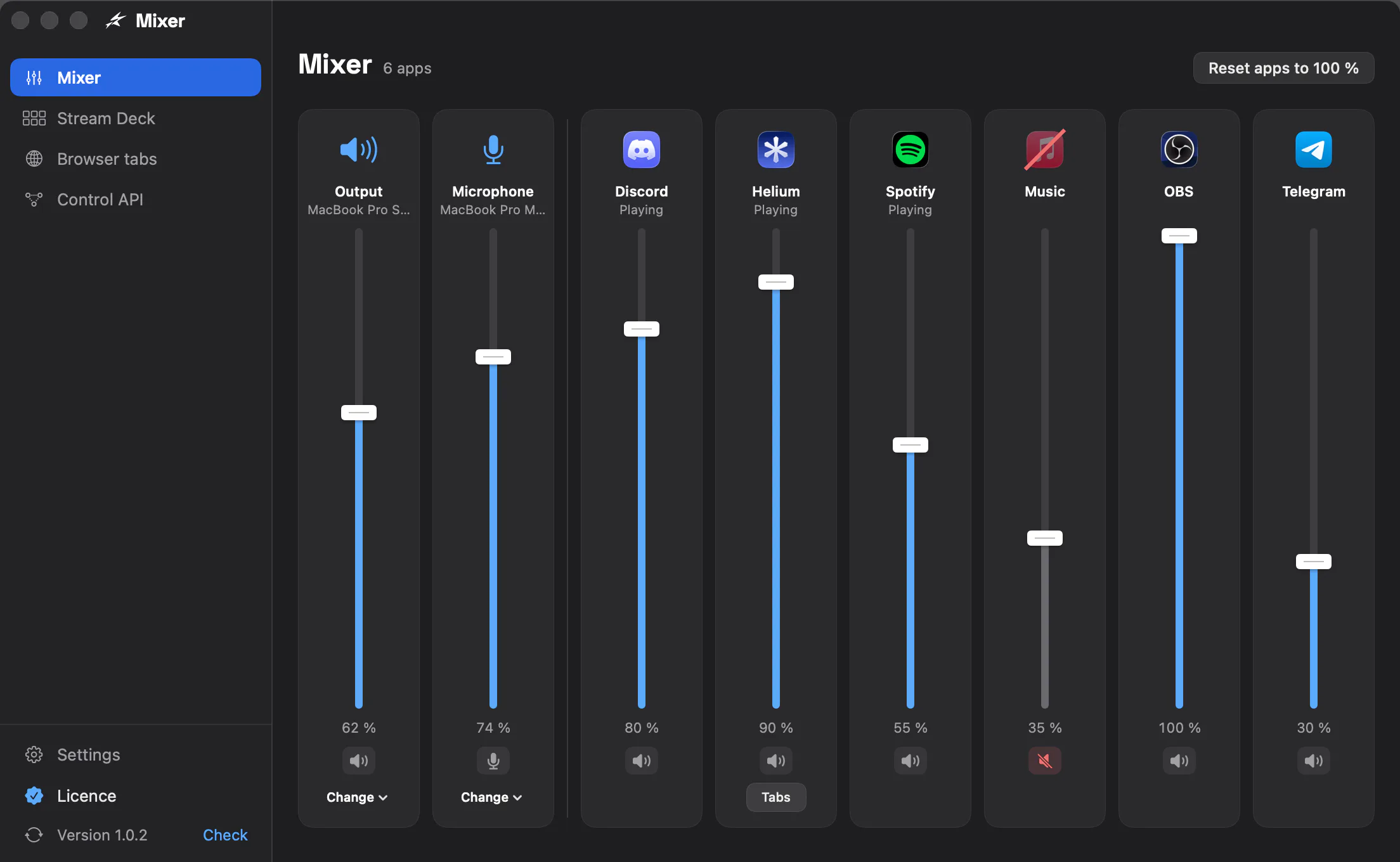
One slider per app, where you already look.
- 1Click Mixer in the menu barEvery app that plays sound is there with its own slider and mute, the ones playing now first.
- 2Set each app where you want itDrag, scroll or mute. Mixer remembers each app’s level for the next time it plays.
- 3Change speakers, keep your levelsSwitch to AirPods or a display and every app keeps its level. Master volume and your microphone sit on top.
- No audio driver
- Mixer uses the audio taps built into macOS 14.4 and later. Nothing is installed into the system and nothing needs a restart.
- Apps at 100 % are left alone
- An app you never turn down or mute is not touched at all: its sound reaches your speakers exactly as before.
- One row per app
- Browsers and chat apps play through helper processes. Mixer shows each app once, under its own name and icon.
- A volume for every output
- HDMI displays and many audio interfaces have no volume of their own. Mixer sets it for them, from the menu bar or a key.
A mixer folder on your Stream Deck.
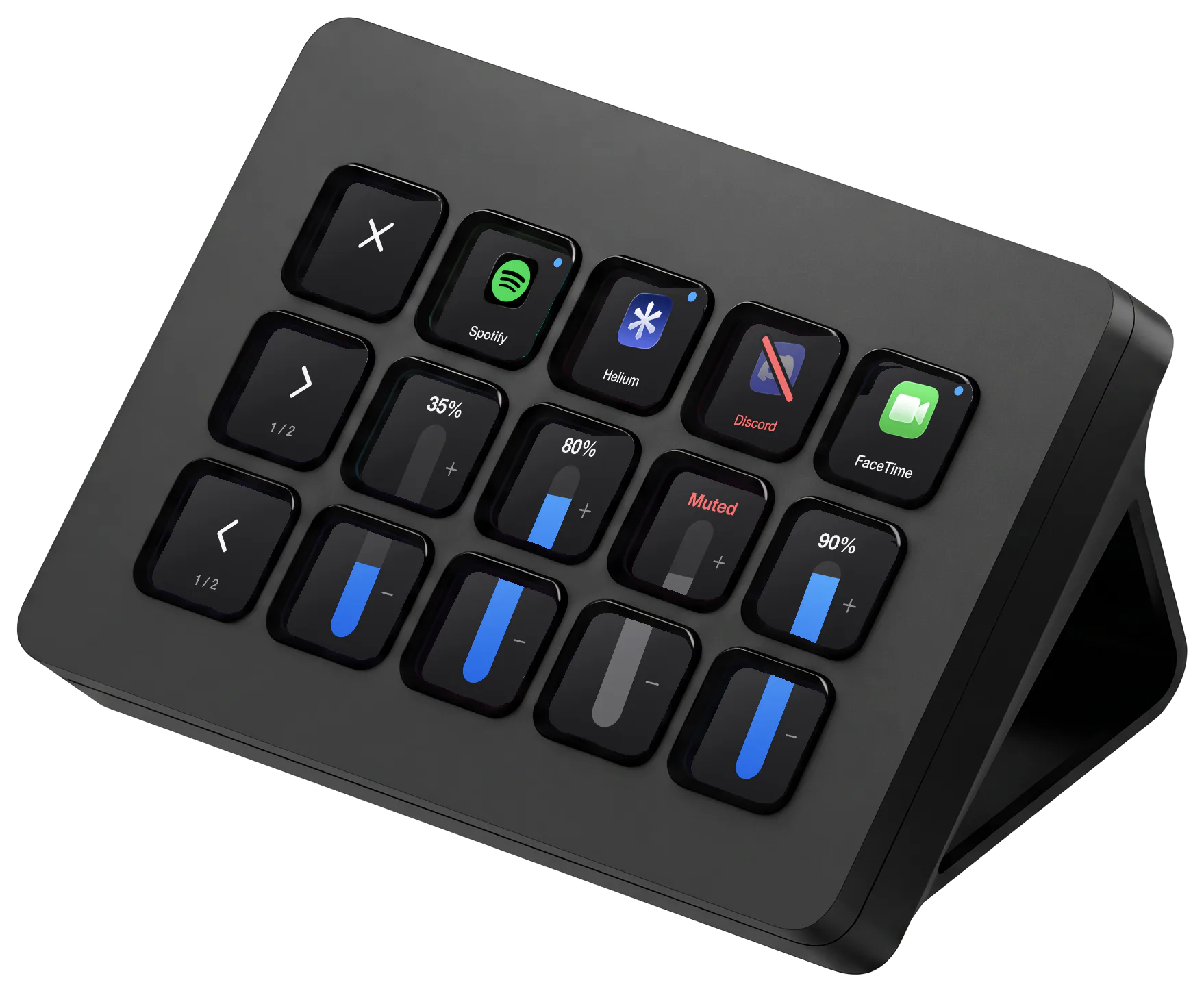
Press the Mixer key and your Stream Deck becomes a mixer: one column per app, its icon on top and its volume as a bar over the keys below. Press the icon to mute, the top of the bar to go louder, the bottom to go quieter.
- ✕ closes the folder and › shows the next apps
- Hold a browser’s icon to get its tabs
- Stream Deck, XL, Mini, Neo and Stream Deck +, where the dials are the faders
- Plain keys too: master volume, microphone, and one chosen app
The plugin is free and works in the trial. Double-click it to add it to the Stream Deck app; Mixer runs on the same Mac.
Each browser tab, its own volume.
With the free Mixer extension in your browser, every tab that plays sound shows up under it: the video quieter, the meeting louder, the autoplaying ad muted. The extension is on its way to the browsers’ stores.
- Chrome, Edge, Brave, Arc, Vivaldi, Opera, Helium, Firefox and Zen
- From 0 to 100 % and mute; no boost above the tab’s own level
- The browser’s own pages (settings, the extension store) can’t be changed
Google Chrome
Extension connected · 4 tabs with sound
- 45 %
Lo-fi beats to study toyoutube.com
- 100 %
Weekly syncmeet.google.com
- 60 %
Radio Paradise – main mixradioparadise.com
- muted
Autoplaying video on a news sitelrt.lt
Or press it from anything else.
Everything in the menu works over a local API too, HTTP and WebSocket on your Mac with a token: Bitfocus Companion, Touch Portal, Apple Shortcuts or your own script.
Read the API docs# Spotify to 30 %
curl http://127.0.0.1:48540/v1/setVolume \
-H "Authorization: Bearer $TOKEN" \
-d '{"target":{"kind":"app","id":"Spotify"}, "volume":0.3}'Free for 7 days. Then €10, once.
The download is the whole app for a week, with no account and no card. After that, master volume and the microphone stay free; a licence keeps the app and tab volumes, the Stream Deck folder and the API.
Already bought? See your licence
Prices before VAT. Polar, who sells Mixer, adds any tax at checkout. Changed your mind? Full refund within 14 days.
Mixer – SoundRelay
€10once
No subscription.
- A volume for every app and every browser tab
- The Stream Deck folder and the control API
- One Mac at a time, move it any time
Questions
Not answered here? .
Download it and turn one thing down.
Install Mixer from the download and start it: its icon appears in the menu bar. macOS asks once to let it reach other apps’ sound, and the 7 days start.
Version 1.0.2 · 4.7 MB · macOS 14.4 or later · Apple silicon and Intel
SHA-256 d86c3e3d71fe80a9dfc244b4221ad27506bdefd574c0a898241da121b7646bd9